

— 機能一覧
An anime app that
keeps the story
going.
Watch with friends, climb the rankings, read the manga and the light novel, download episodes for when you have no signal, and let AniList or MyAnimeList keep up with what you've seen.
Android · free · no account needed · no ads

— 画面
A look around
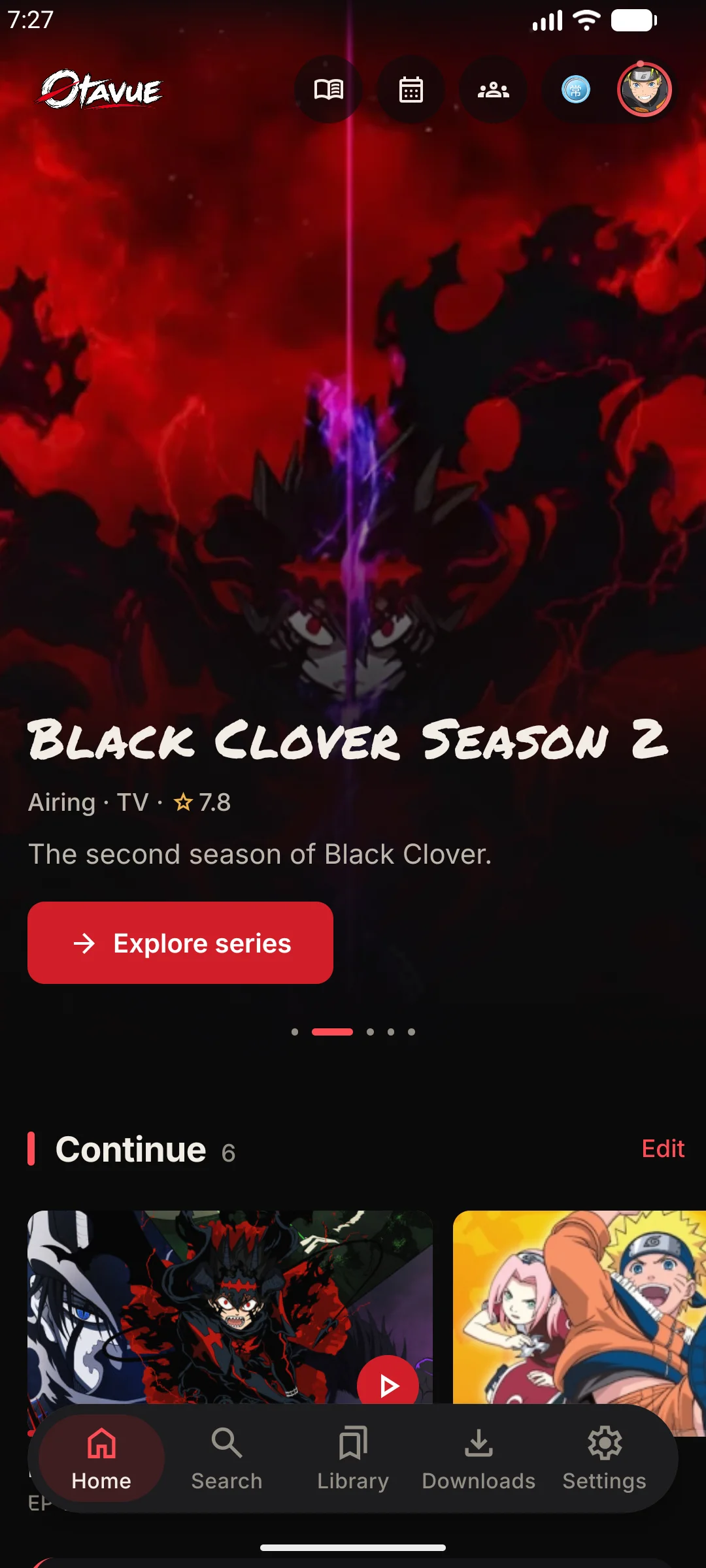
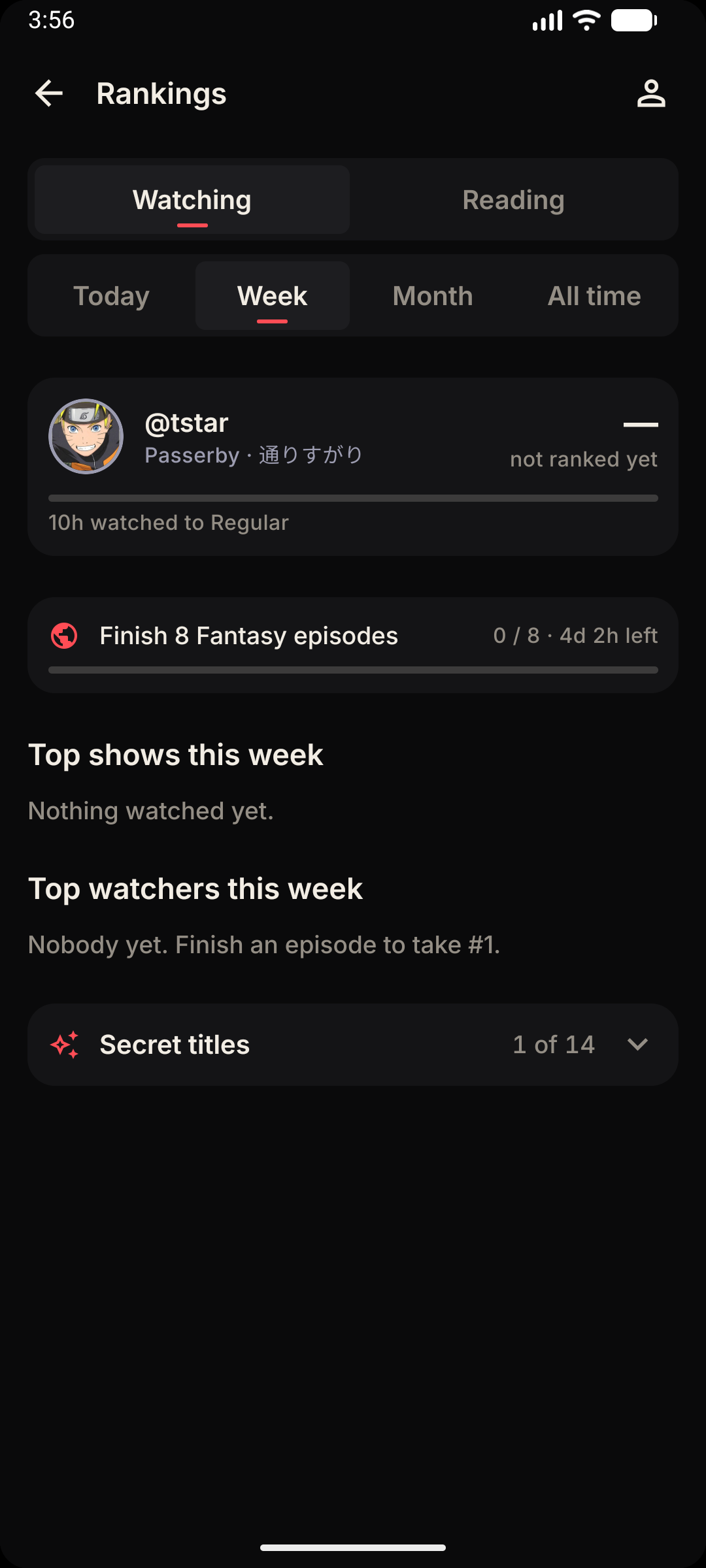
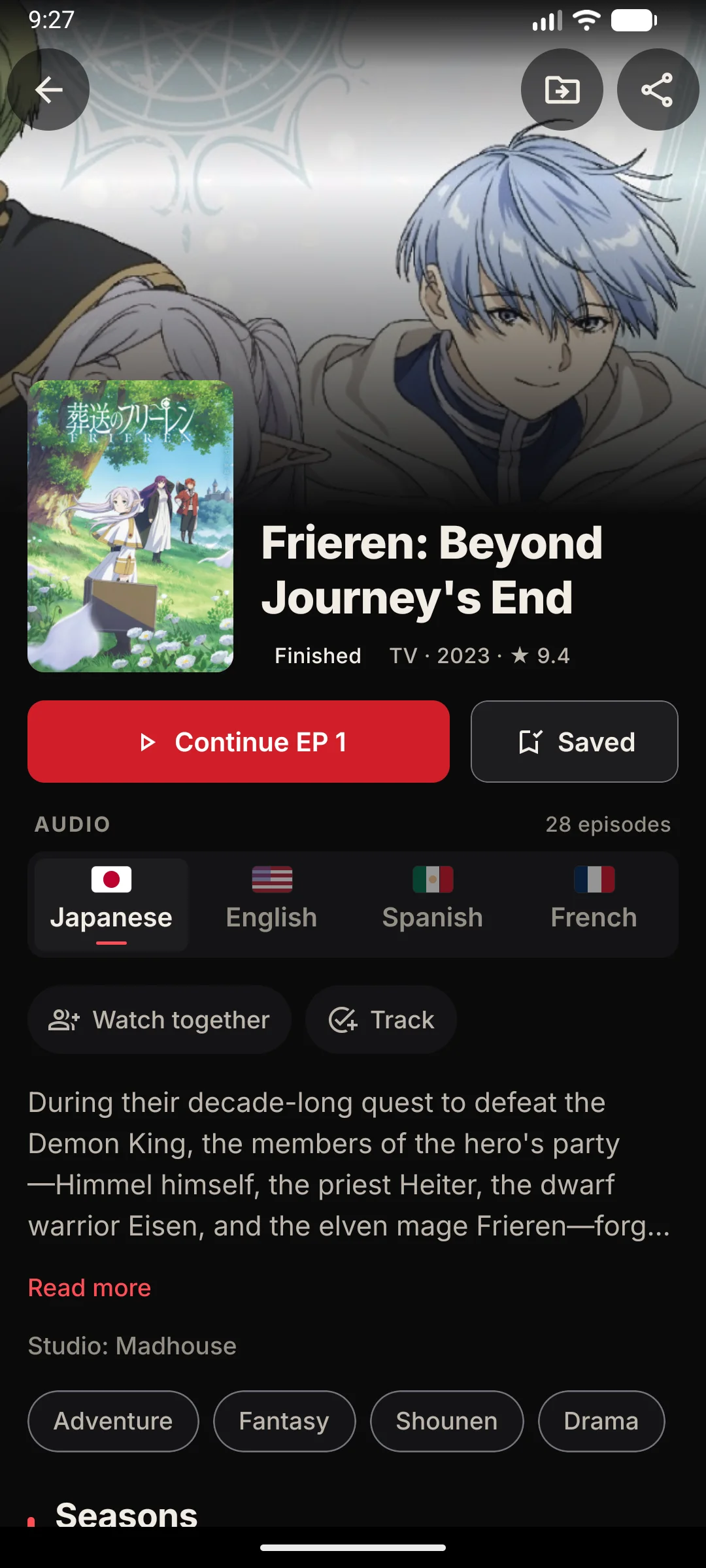
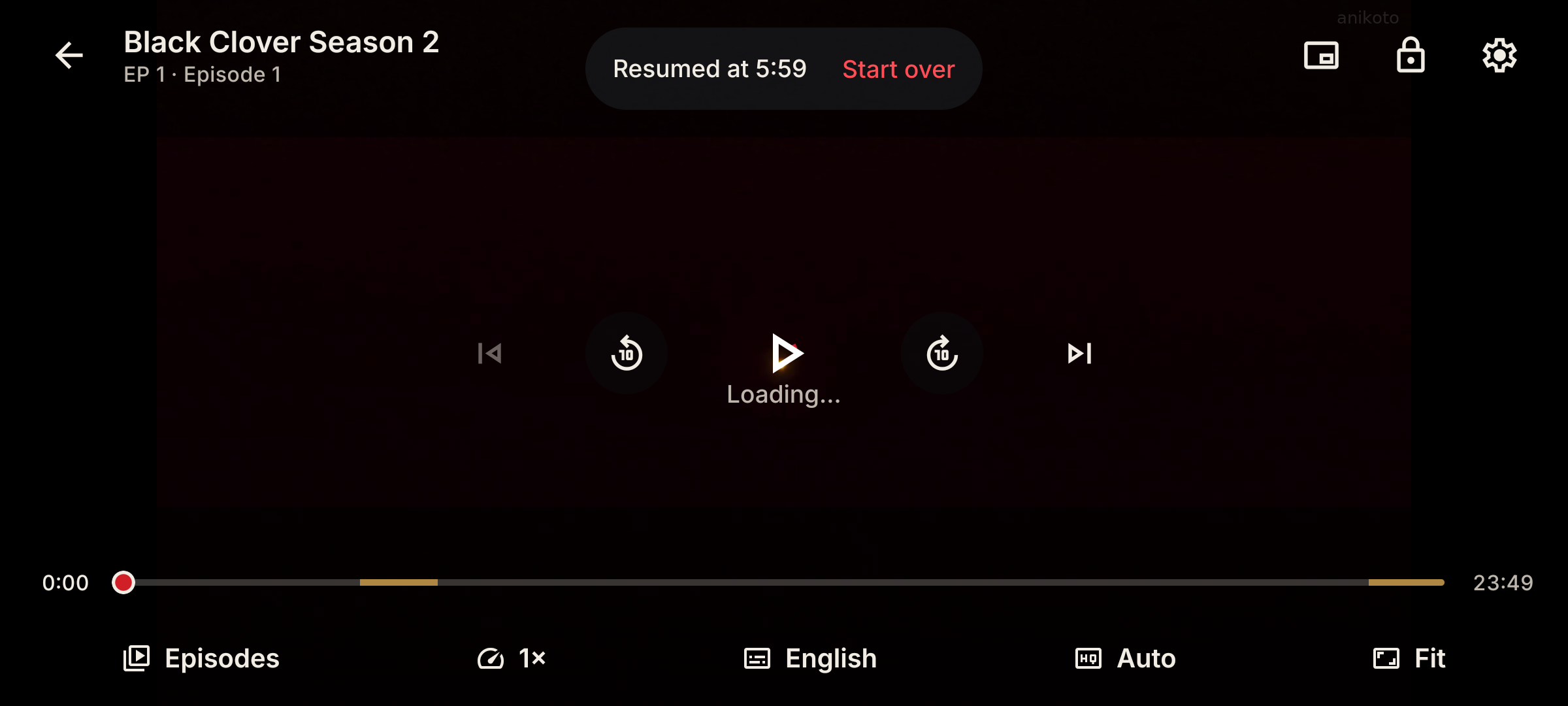
Watch Party
Watch together
Same episode, same second, wherever your friends are.
Everyone in step
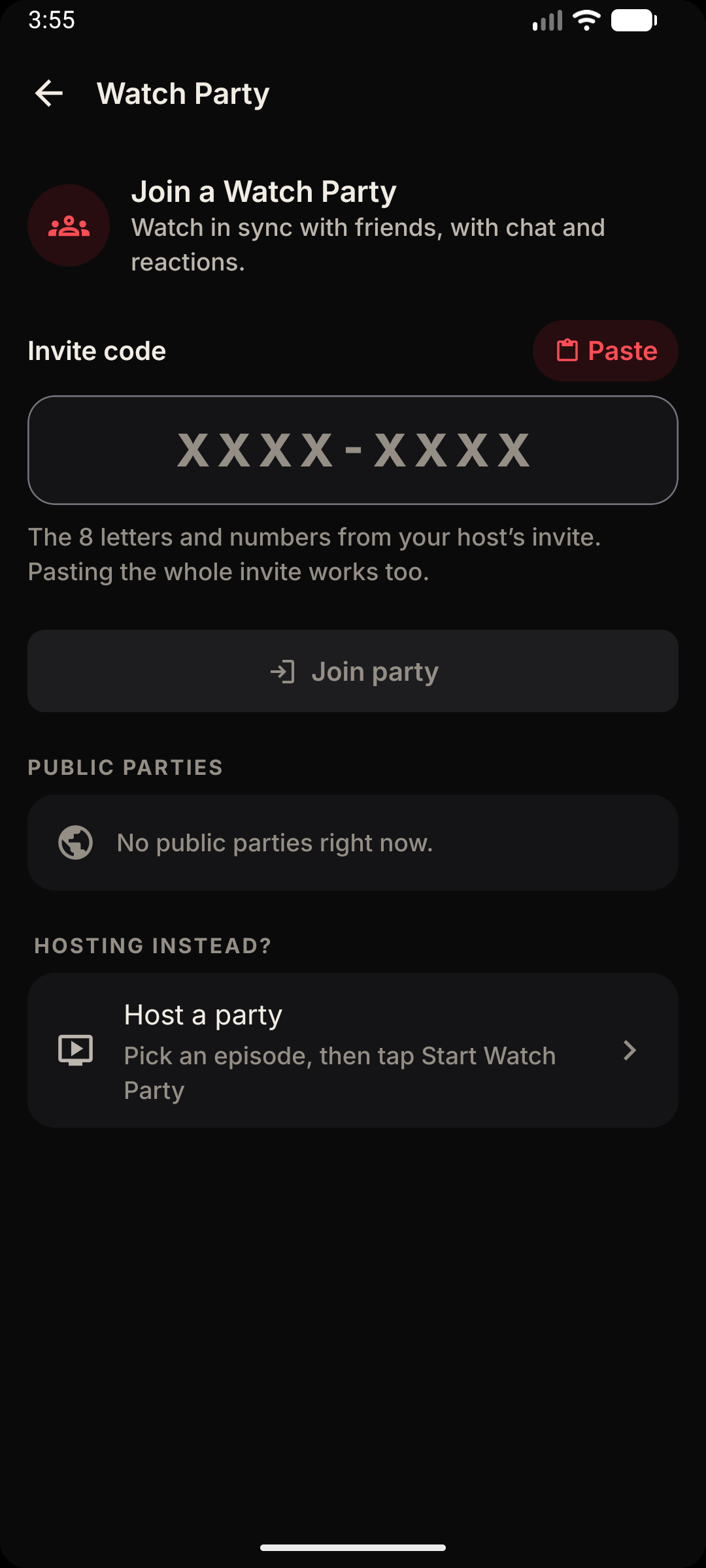
Start a party from any episode. When the host plays, pauses or seeks, every player follows. Join halfway through and you land where everyone else is.
Chat and react
Talk over the episode without leaving it. Messages appear over the video, and six quick reactions sit one tap away from any bubble.
An invite that just works
Share a link or a short code like ABCD-2345. Paste the whole message if you like Otavue finds the code in it and ignores the look-alike letters.
The host decides
Guests follow along by default. Flip “Guests can control playback” when you want anyone in the room to pause for snacks.
Unread, counted
Hide the chat and a badge keeps count of what you missed, so the big scene doesn't get buried under messages.
Your own profile
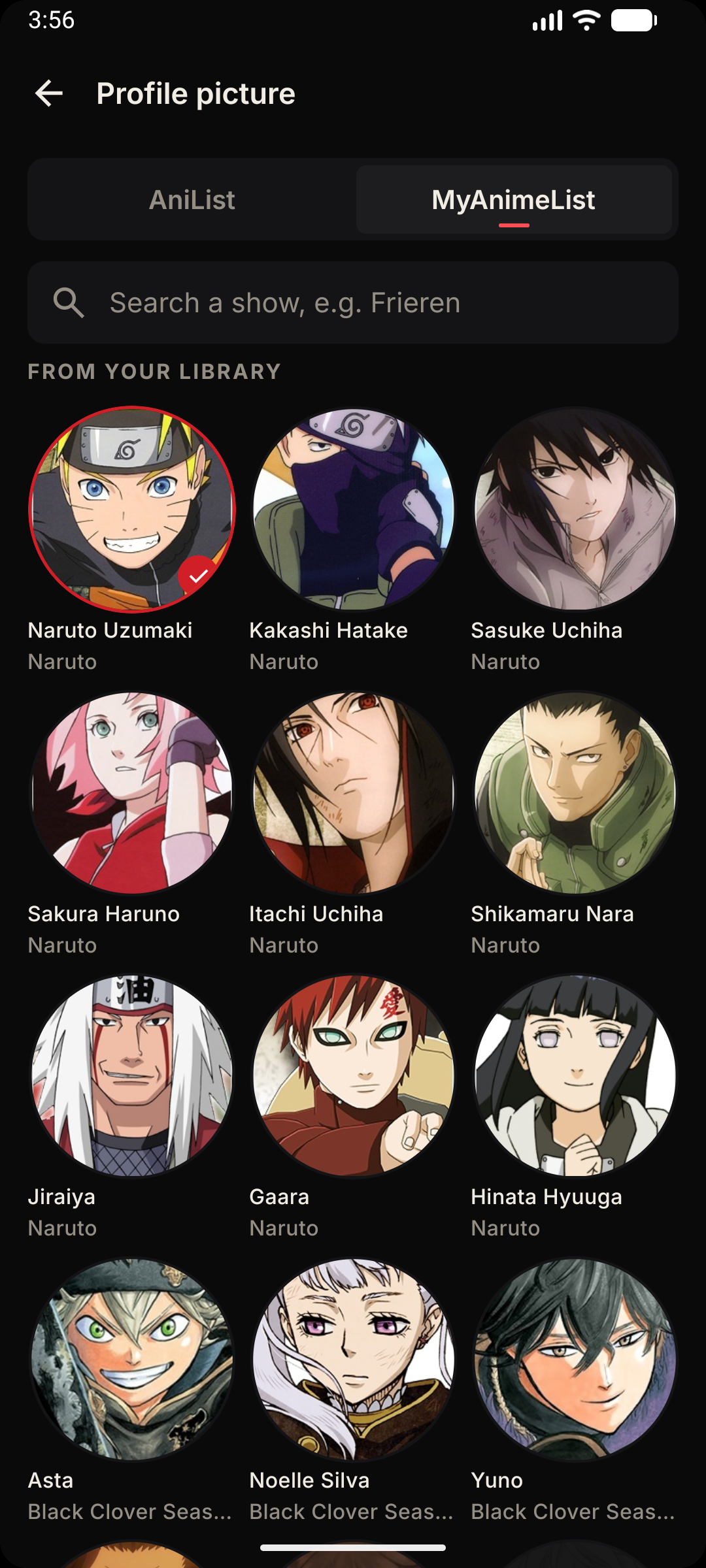
Pick a name and an avatar for the room. Your watch-party identity stays on your phone and is never part of a backup.
Rankings
Every episode counts
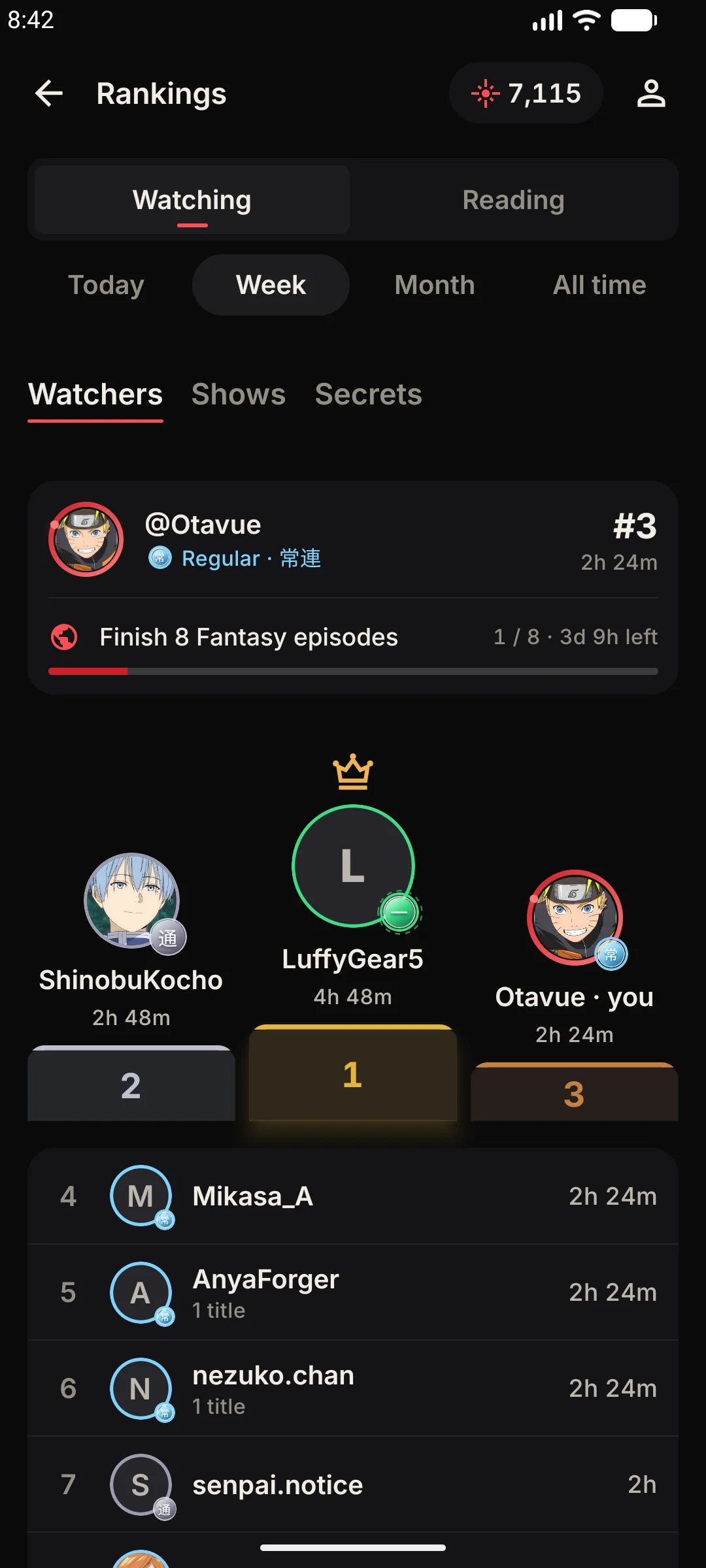
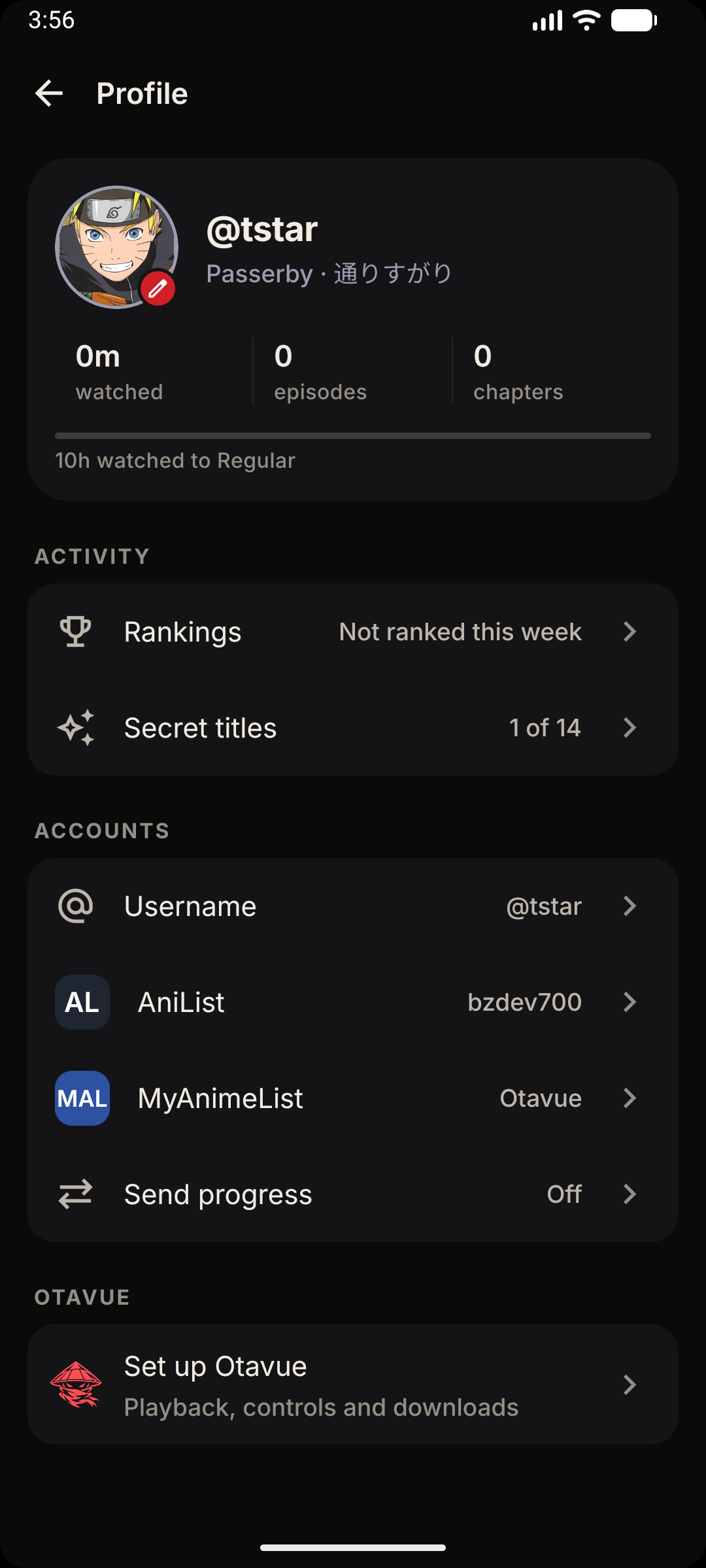
Join with a username and your hours start climbing.
Eight ranks
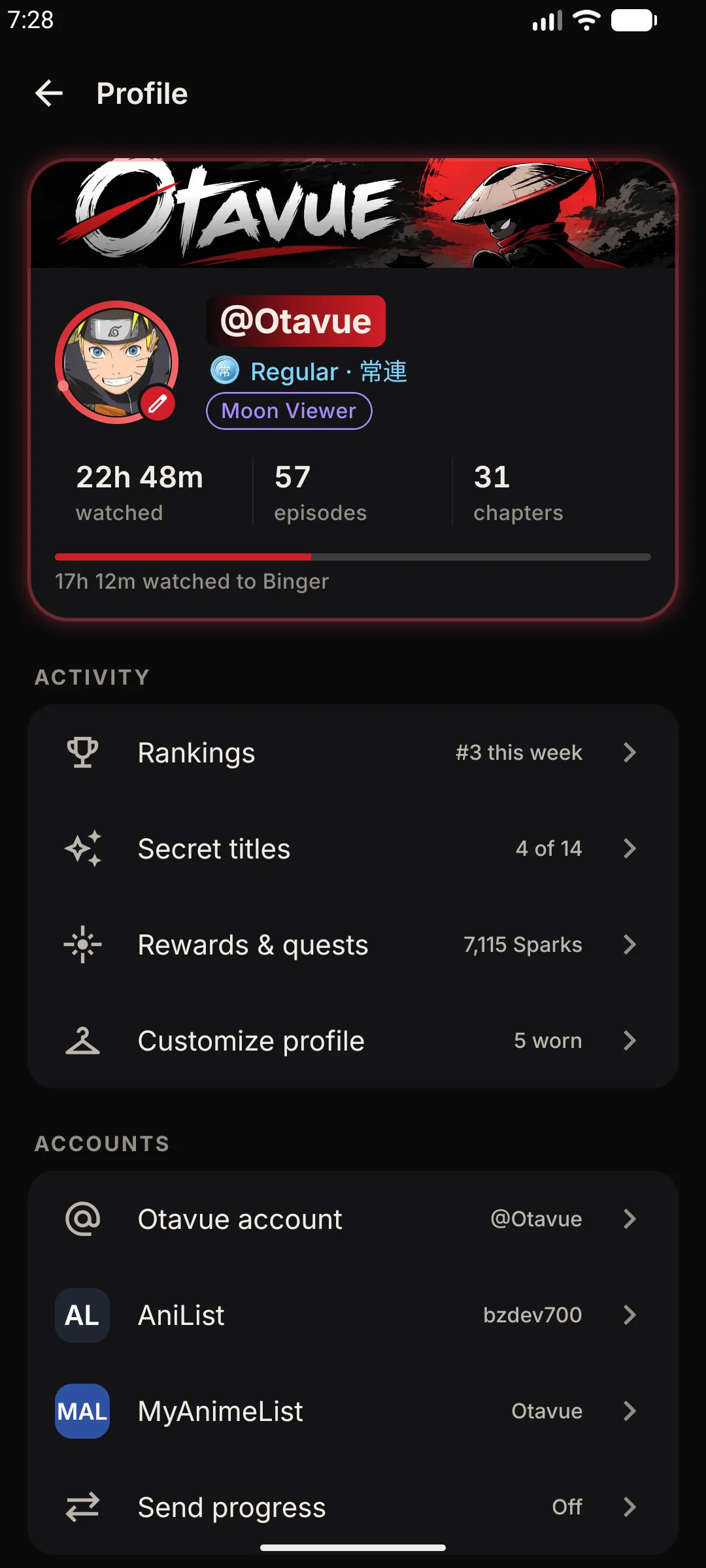
Passerby, Regular, Binger, Devotee, Otaku, Sensei, Legend and Kami, each with its own colour, from 0 to 1,600 hours.
Watching and reading
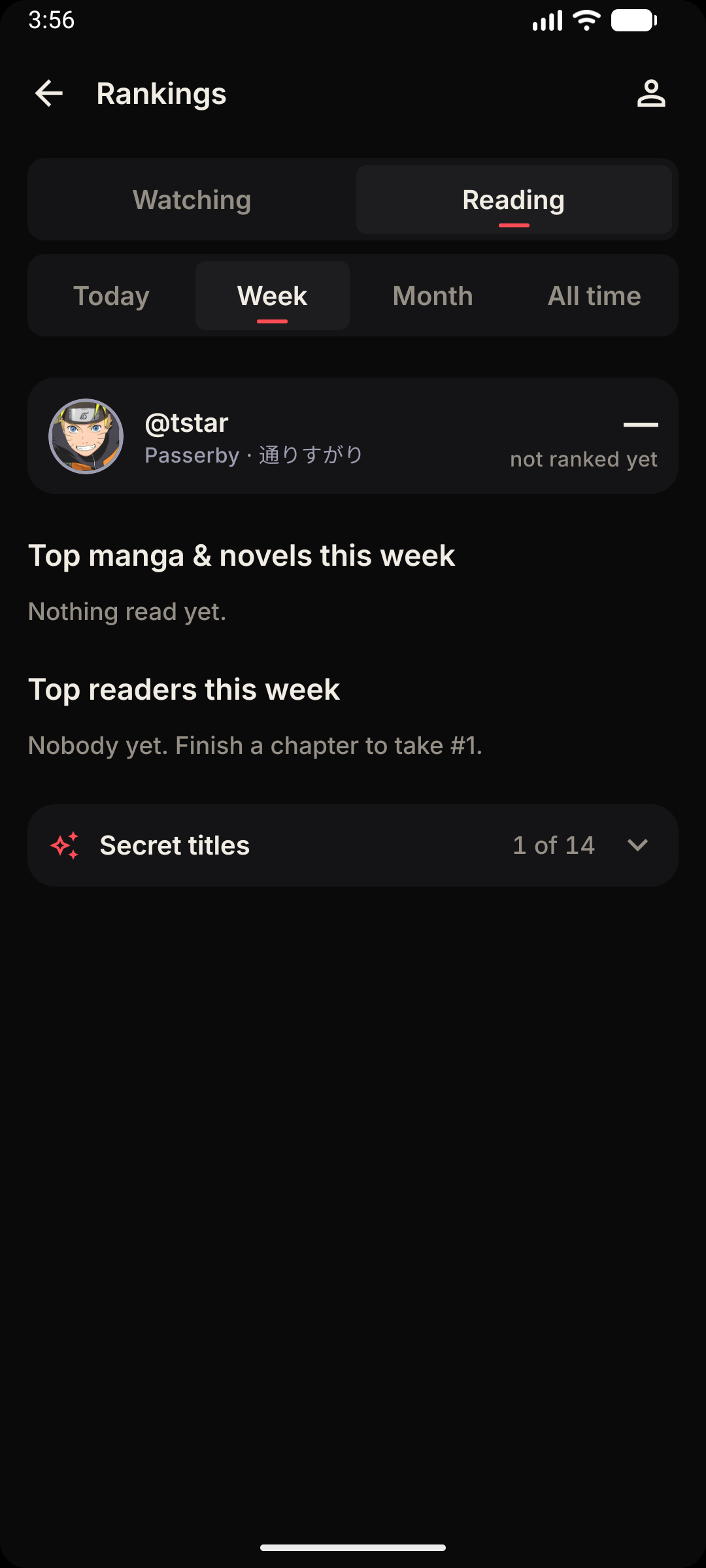
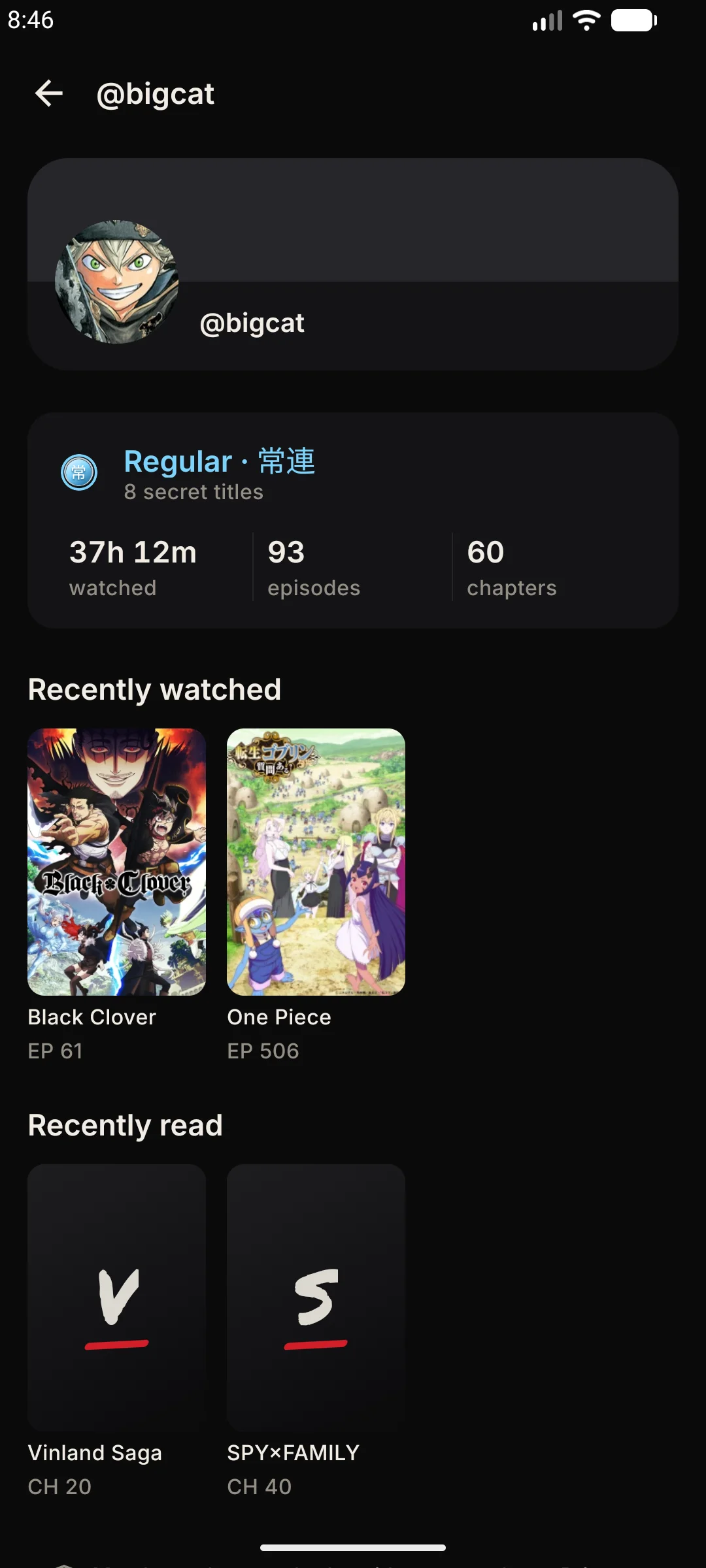
Two separate boards: watching counts minutes, reading counts chapters, so neither can outrun the other.
Today to all time
Top people and the shows everyone is on, by day, week, month and all time, with where you stand.
Fourteen secret titles
Cards you earn for the way you watch, like Night Owl, Marathon or Detour. Nobody tells you how to get them.
Only real watching
An episode counts when you play it through, never from a manual mark, and 18+ titles never count.
Yours to delete
Deleting your username removes it with your rankings history and titles. Everything else stays on your phone.
The player
Built for the couch, the train and the dark
Every control is where your thumb already is.
Taps that add up
Double tap either side to skip, and tapping again keeps adding to the same jump. Hold anywhere for 2× speed.
Slide for light and sound
Drag up and down on the left for brightness, on the right for volume. Drags near the edge are left to your phone.
Past the opening in one press
Intros skip themselves when the source marks them. When it doesn't, +85s clears the cold open and the OP in one tap.
Pick the quality yourself
Choose from what the episode really offers, change it mid-episode, and it's remembered for the next one. Missing? The next one down plays.
It tries the next server
If a server fails or stalls, the next one picks up at the same second and the intro markers come along with it.
Sub or dub, your call
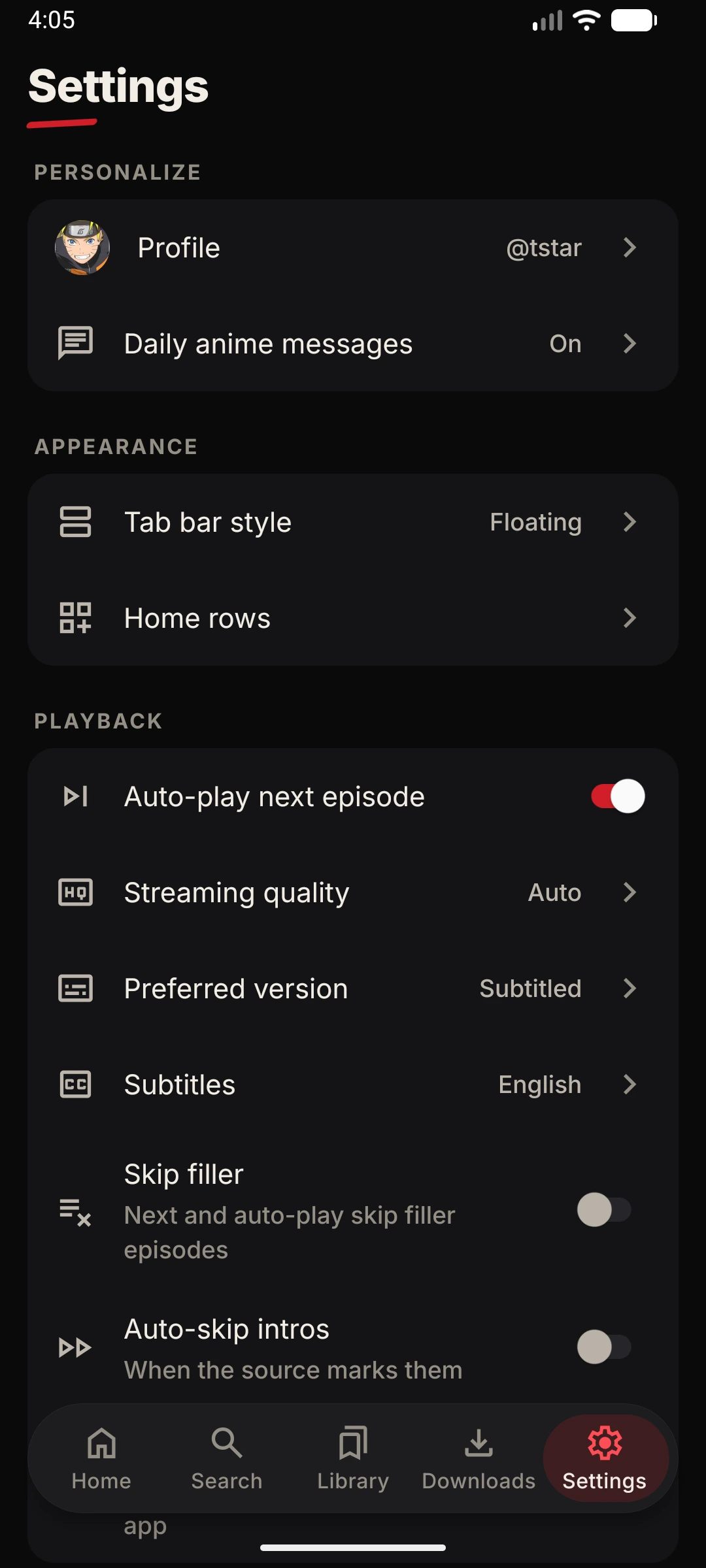
Set the version you prefer once. Otavue reaches for it first on every series.
Skip filler
Filler episodes are marked in the list. Turn on Skip filler and Next and auto-play step over the whole run.
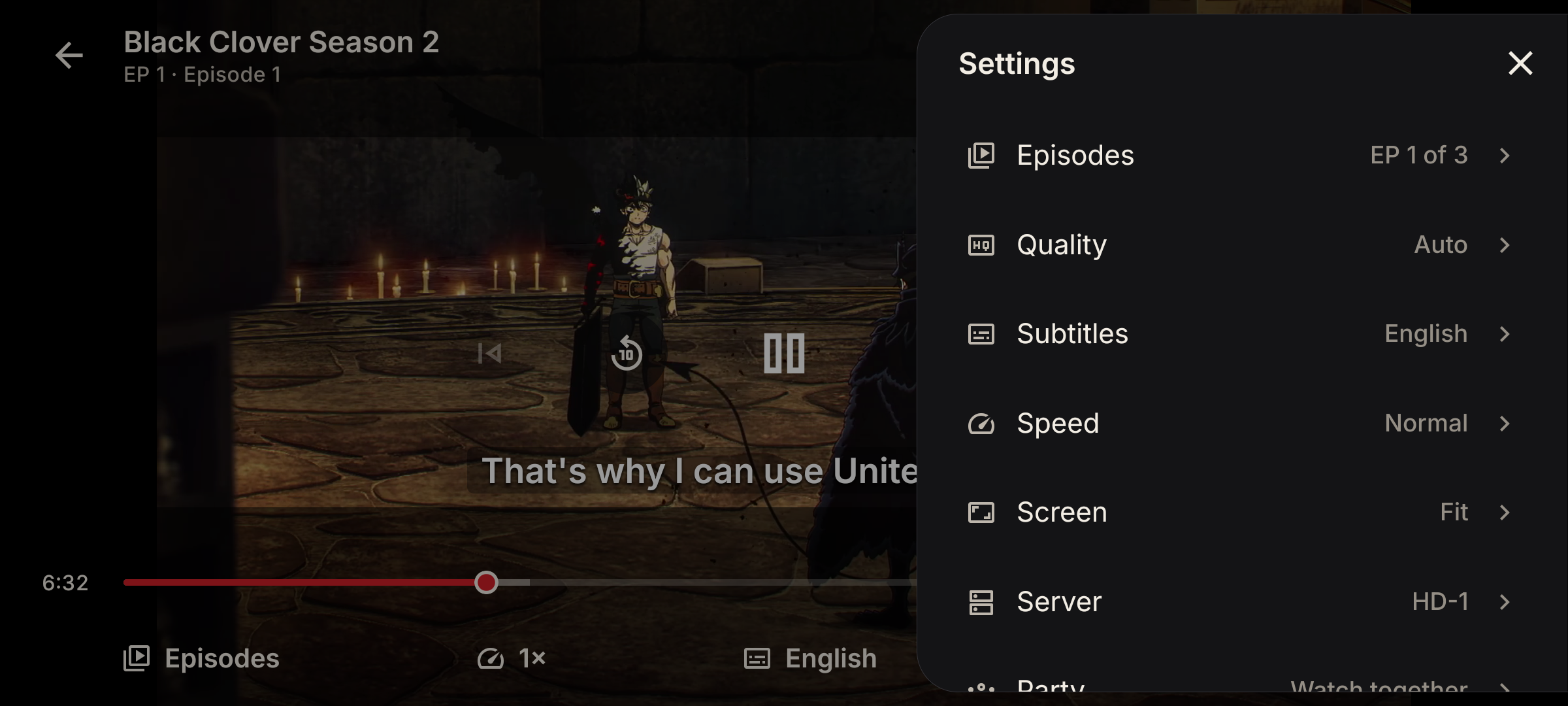
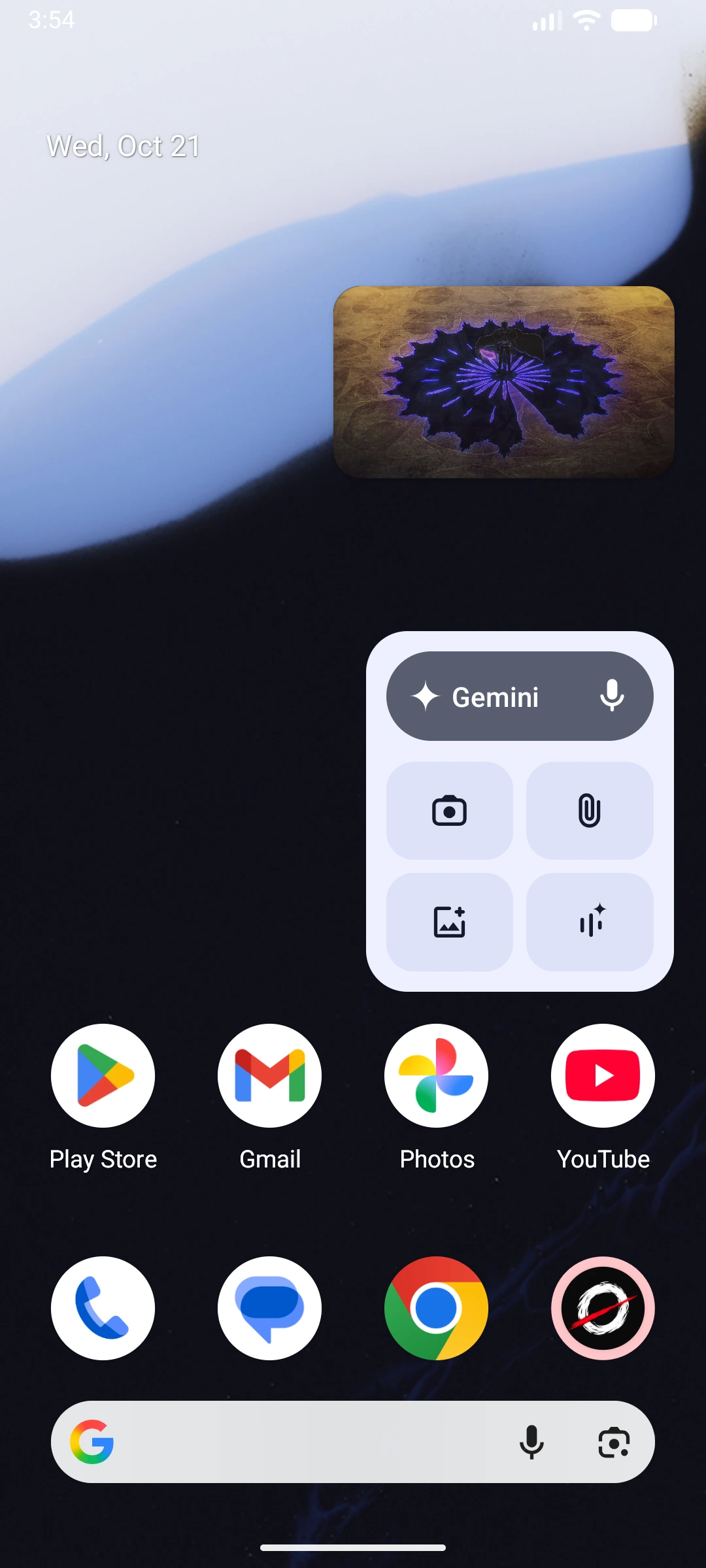
Keep watching in a small window
Leave mid-episode and it carries on in picture-in-picture while you answer a message.
Subtitles the way you read
Size, colour, background, outline and position, with a live preview before you commit.
Fit the picture
Fit, zoom, stretch, 16:9 or 4:3 — switching never reloads the video.
Auto-play next
Finish an episode and the next one is already rolling. Your place is saved every few seconds, and the moment you leave.
Your skip distance
Seek by 5, 10, 15 or 30 seconds — set once during setup, change it any time.
Languages & Audio
Your language, your voice
Stream in Japanese, English, Spanish or French — and navigate Otavue in your native tongue.
Multi-Language Architecture
Directly aligned with Otavue's mobile player & localization engine
Stream Audio Selection
Otavue categorizes episode streams by spoken audio. Pick your preferred version once—the player searches for it first across all servers, falling back smoothly to original Japanese if missing.
Japanese
日本語
English
English
Spanish (LatAm)
Español Latino
French
Français
App Language
The interface speaks your language. Every row leads with a crisp flag and native endonym, ensuring you can always navigate safely even after an accidental change.
System default
Matches your phone's language (defaults to English)
English
Full English translation across all menus, reader and player
Español
Traducción completa al español para menús, reproductor y biblioteca
Strict QA gates ensure complete translations before releasing to production:
Four stream audio choices
Switch between Japanese original (Sub), English dub, Latin American Spanish dub (es-419), and French dub right from the player or series screen.
Episode counts per language
See exactly how many episodes exist for each audio language before pressing play, so you never get surprised halfway through a season.
Set your preference once
Pick sub or dub in your settings. Otavue looks for your preferred audio first on every series you start.
Intelligent server & audio fallback
If your chosen dub isn't available for an episode, Otavue falls back to original Japanese without stalling or losing your playback position.
Normalized subtitles in 9+ languages
Subtitle tracks in English, Spanish, Portuguese, French, German, Italian, Arabic, Russian and Indonesian are automatically normalized from varying server tags.
App interface in English & Español
Complete app localization in English and Spanish, with automatic matching to your phone's system language.
Safe native endonyms
Every language is labeled in its own native script (like Español or 日本語). If you ever change language accidentally, you can always find your way back.
Planned global expansion
Brazilian Portuguese, French, German, and Indonesian are already in the translation and QA pipeline for upcoming releases.
Manga & novels
Not just anime
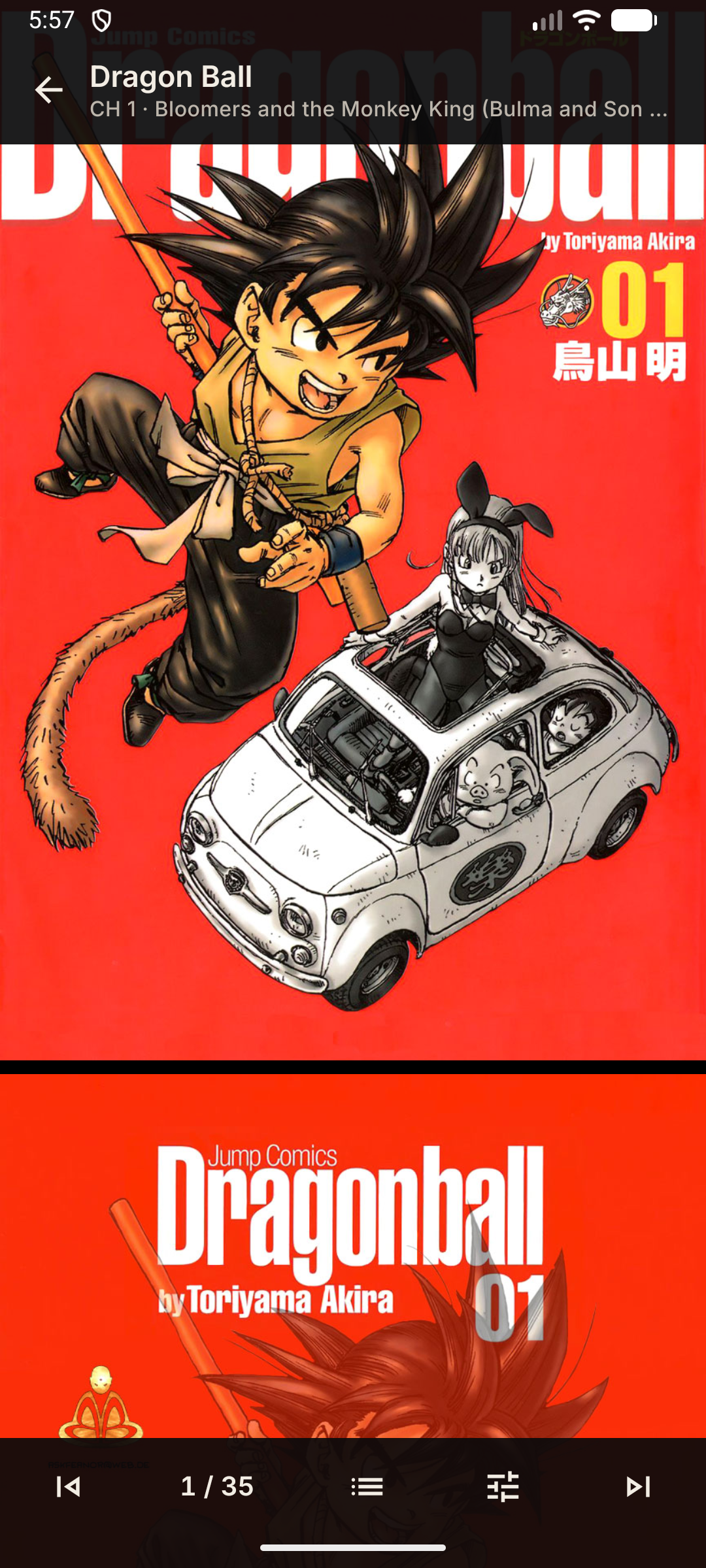
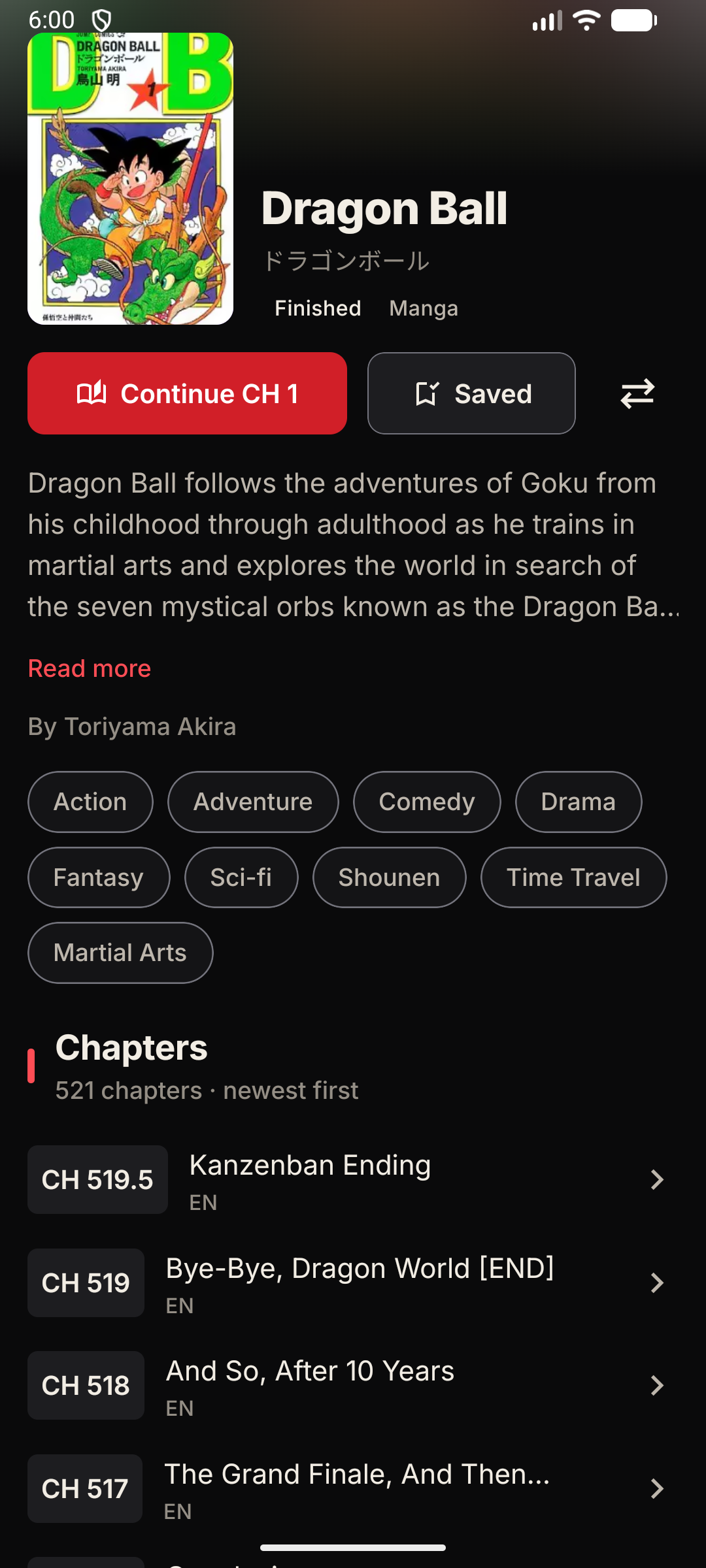
The manga and the light novel live in the same app as the show.
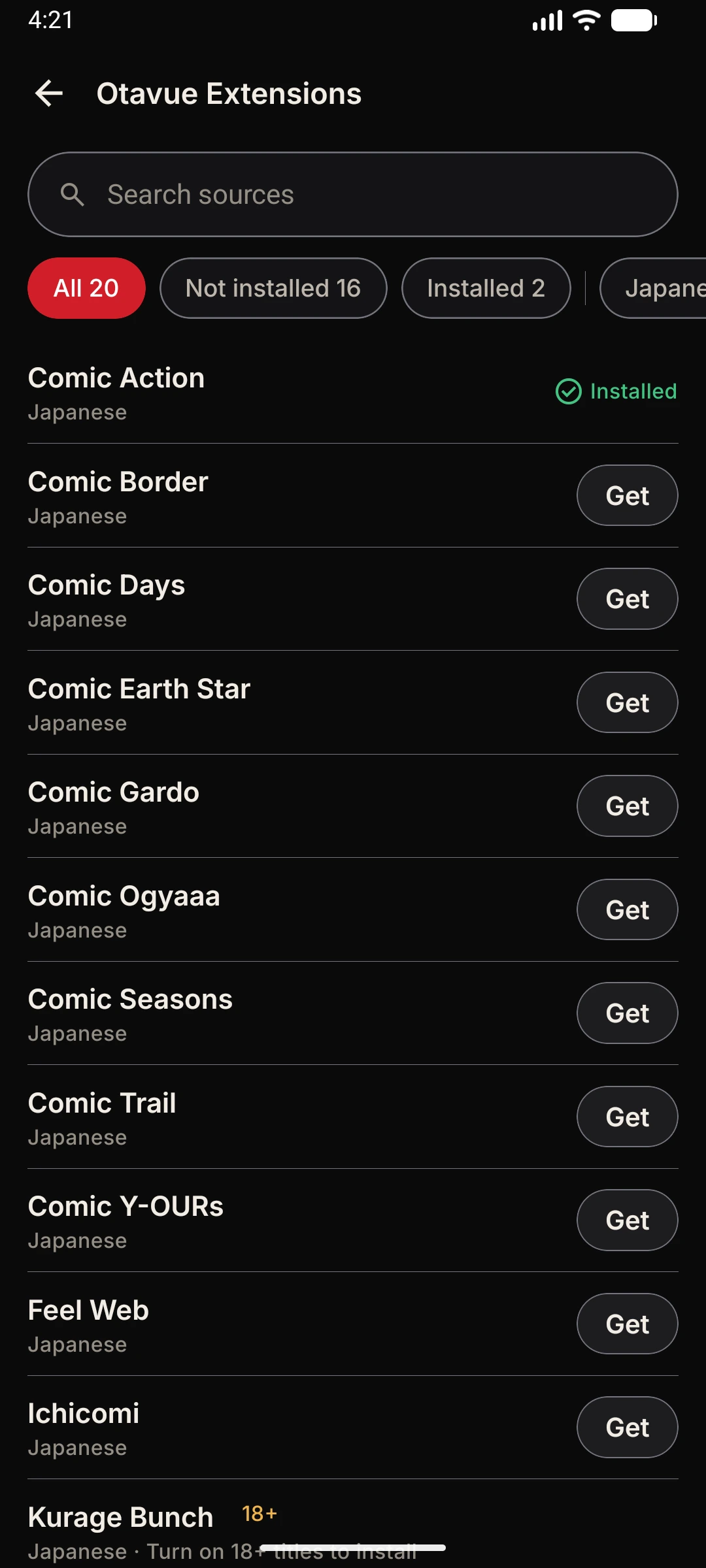
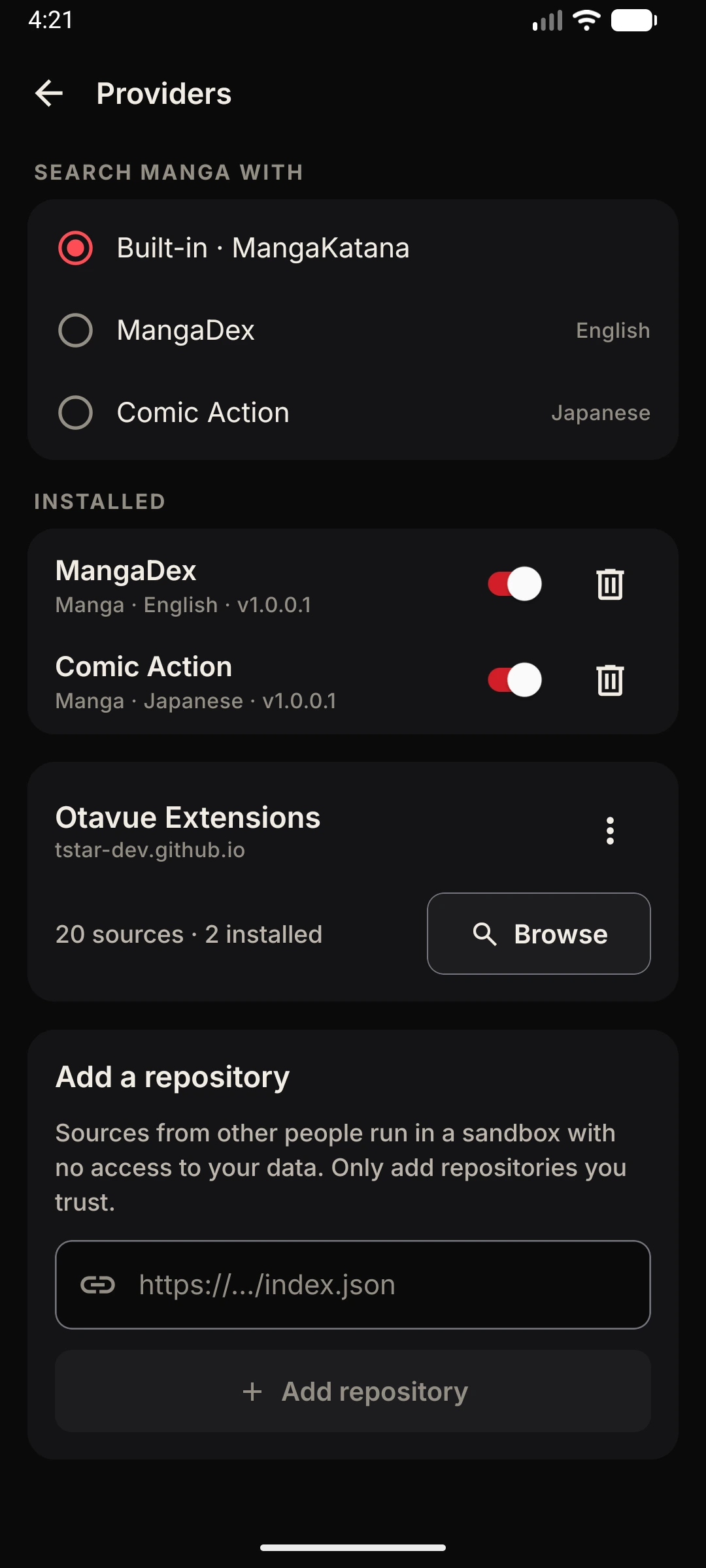
194 manga sources, and counting
Add the extensions repository to install publishers' readers, MangaDex and scanlation groups' sites. New ones arrive almost daily.
Browse extensionsRead manga your way
Long-strip vertical scrolling or page by page, right-to-left or left-to-right, and the screen stays on while you read.
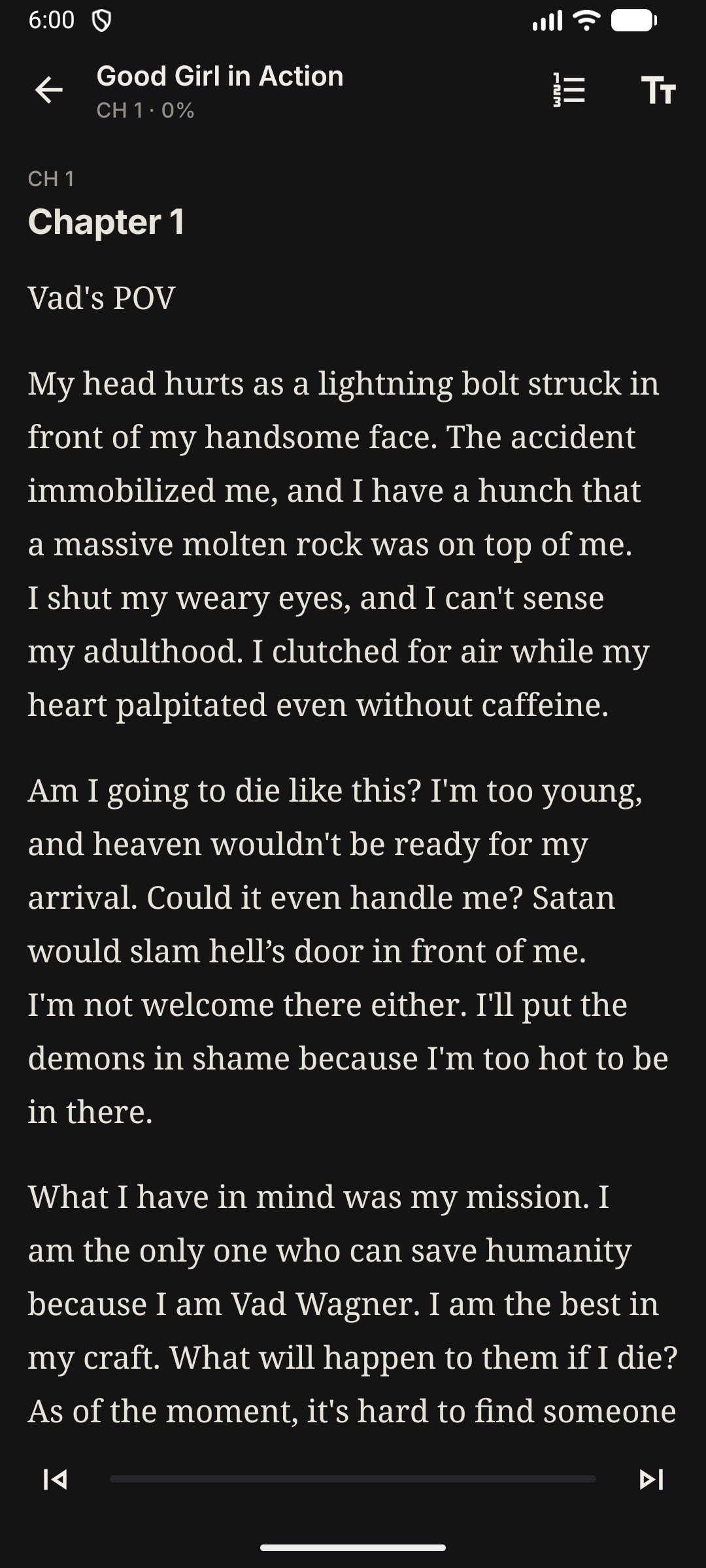
A real novel reader
Pick the text size, line height and a sans or serif face, on dark, true black, sepia or light paper.
Light and web novels
Browse AniList's novel catalogue, link a title to its text once, and Otavue remembers the copy you chose.
Chapters, tracked
Every chapter you finish moves your progress forward, just like an episode — and syncs to your trackers.
Offline too
Download chapters and novel text the same way you download episodes.
Seasons, in order
A franchise's main seasons sit in a strip on the series page, so the sequel is one tap away.
Offline
No signal, no problem
Queue a season before bed. It's there in the morning.
Episodes, chapters and novels
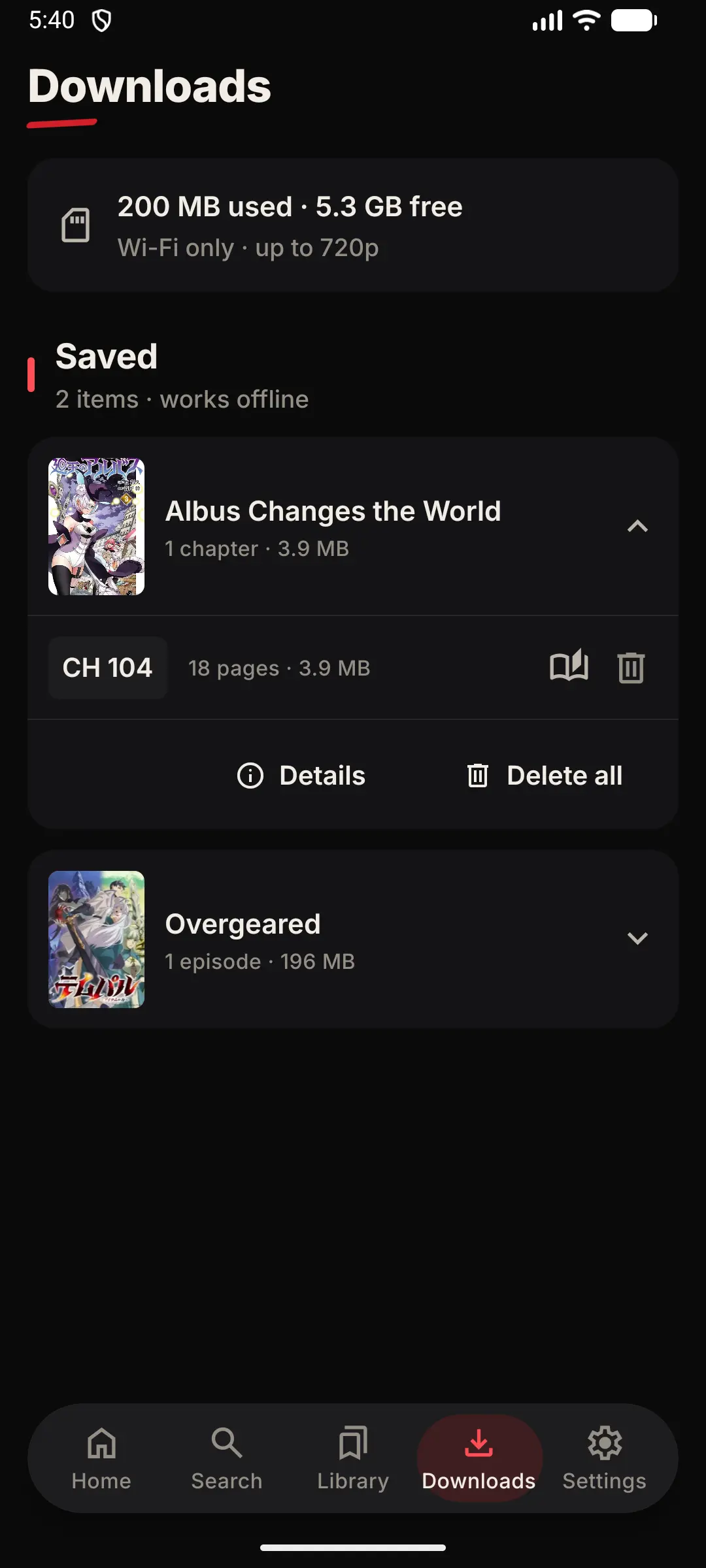
One Downloads tab for everything you saved, grouped by title and marked “works offline”.
It keeps going when you leave
Switch apps or lock your phone and downloads carry on. Interrupted ones retry and pick up where they stopped.
Save at the size you want
Cap downloads at 480p, 720p or 1080p. Each episode takes the best quality available up to that.
Wi-Fi only, if you like
One switch keeps downloads off your mobile data.
Room left for your phone
Otavue checks the space left as it goes and stops a download rather than filling your storage.
Subtitles come too
A downloaded episode keeps its subtitle tracks and plays in the same player, with the same seeking, as a streamed one.
Your library
Know exactly where you stand
Every show, manga and novel you follow, and what's new in each.
New, Behind, Caught up
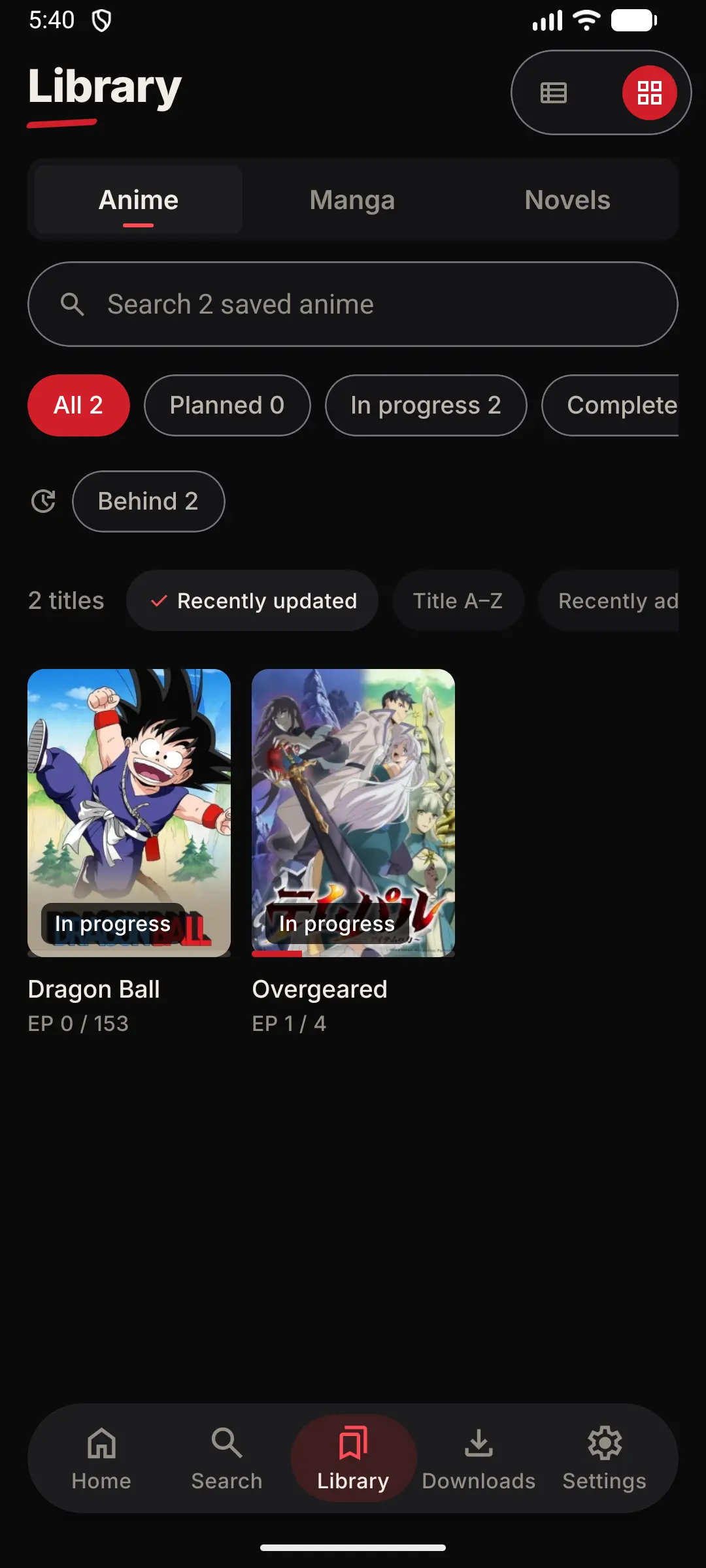
Each title shows whether something dropped since you last watched, whether you're behind, or whether you're caught up and waiting.
Statuses that make sense
Planning, watching, completed, on hold or dropped — plus favourites for the ones you rewatch.
Grid or list, sorted your way
By last updated, title or date added, remembered separately for anime, manga and novels.
Continue, to the minute
Home opens on what you're partway through, at the episode and the second you stopped.
Move a title to another source
If a copy disappears, migrate the title to another one. Your progress and tracker links come with it.
Back it up
Export your library, progress and settings as one file and restore it on a new phone. Older backups upgrade themselves.
Trackers
Your list keeps itself up to date
Connect AniList or MyAnimeList and finishing an episode here finishes it there.
AniList and MyAnimeList
Sign in with the service's own login page. Otavue never sees your password.
Found automatically
Titles with a MyAnimeList id are matched on their own. Anything else, bind from the title's Tracking page.
Bring your whole list
Import from AniList in one go. Titles already in your library keep their status — nothing of yours is replaced.
Never matched by name
Otavue matches by id, not title, so a similarly named show or another season of the same franchise can't get mixed up.
Removing is local
Taking a title out of your library never removes it from your tracker.
Gentle on the servers
A burst of edits goes out as one update per title, and anything queued offline is sent next time you open the app.
Discover
Find your next obsession
Recommendations, schedules and search, without anyone watching over your shoulder.
For you, worked out on your phone
Picks come from your own library, and each one tells you which show it's because of. Your watching history stays on the device.
Home your way
Reorder or hide Continue, For you, Trending anime, Latest updates, Popular manga, Trending novels and more.
The week, in your time zone
The airing schedule grouped by day in your local time, everything, or just the shows on your list.
Reminders
Tap the bell on a title and your phone tells you when the next episode is out.
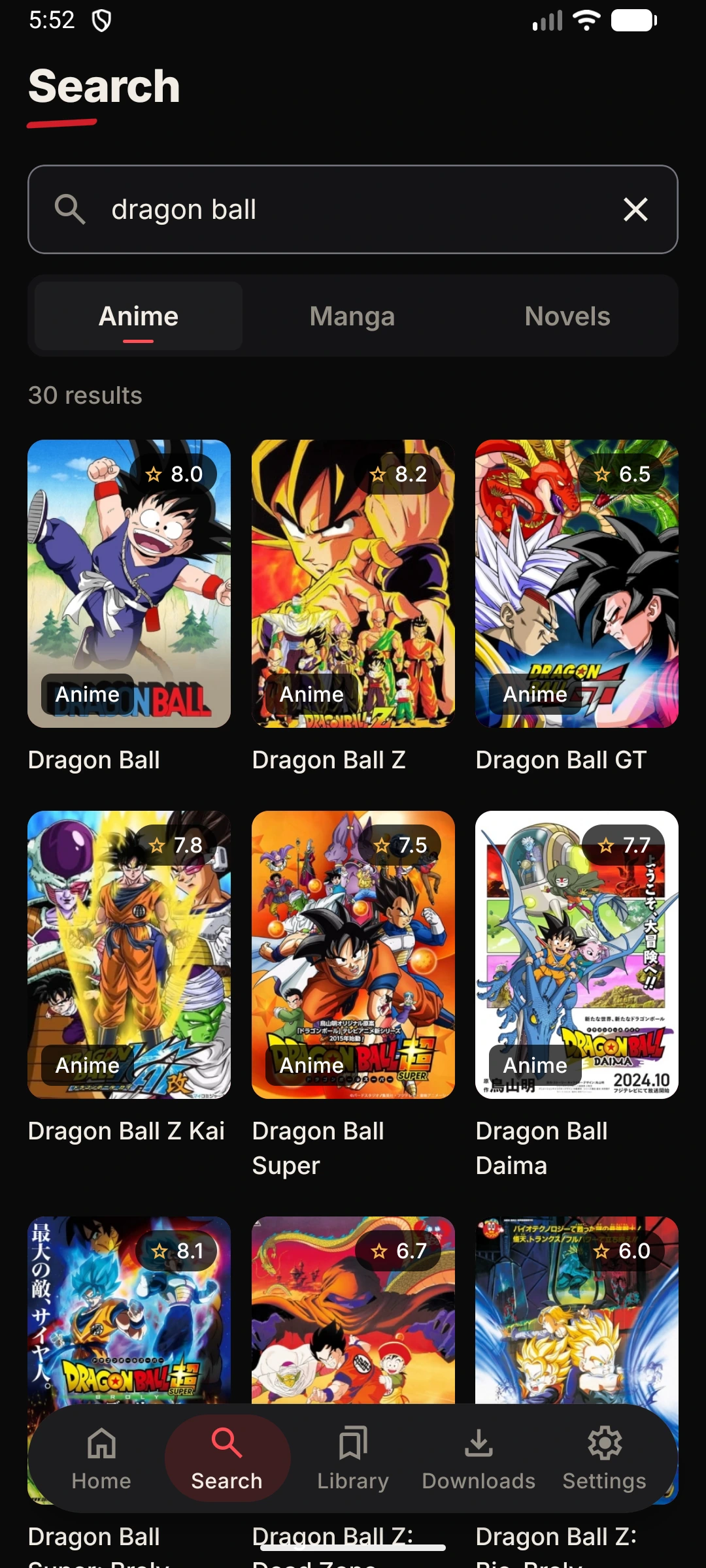
Search everywhere at once
One search across every source you have, with the ones that found something listed first.
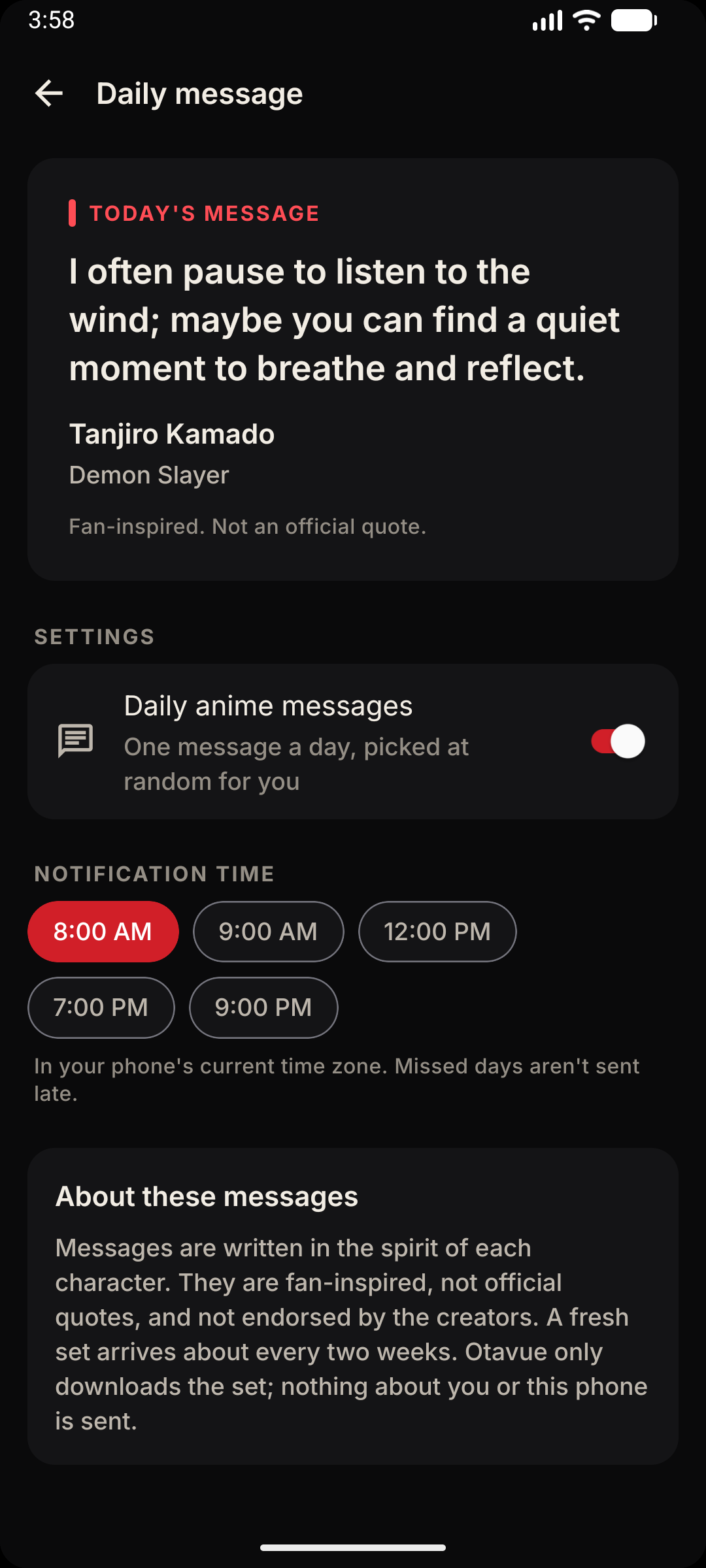
A daily message
Optional anime quotes and messages, one a day, as a notification or right in the app.
Rewards & Sparks
Watch, read, earn
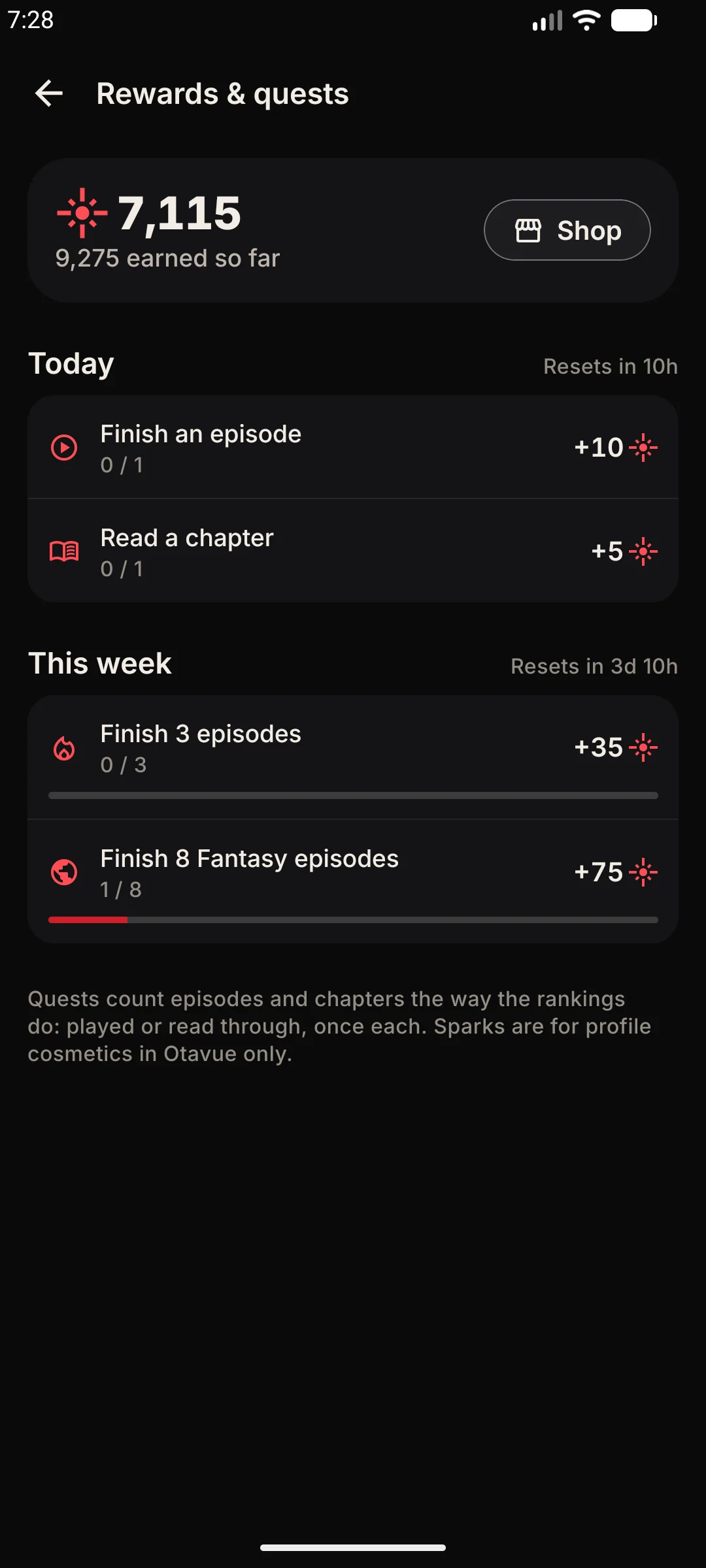
Complete quests and collect Sparks, the currency you spend on profile cosmetics.
Sparks, earned for real watching
Finish an episode or read a chapter the way the rankings count it, played through, not manually marked — and Sparks land in your wallet.
Daily and weekly quests
A fresh set of quests resets every day, a longer set every week. They ask you to watch or read a set amount, and they pay when you claim them.
Tied to your username
Sparks are stored with your username on Otavue's servers, so they survive a new phone or a reinstall. No username, no wallet.
Claim when you're ready
Finished quests sit there until you tap Claim. A finished quest from yesterday can still be claimed today before the timer runs out.
Nothing to do but play
Quests count the same thing the rankings count. There's no separate tracking, no opt-in, and no way to game it — just watch.
The balance goes with you
Your Sparks balance, earned total and spent total are on your profile. The shop links right from the wallet.
Shop & cosmetics
Make it yours
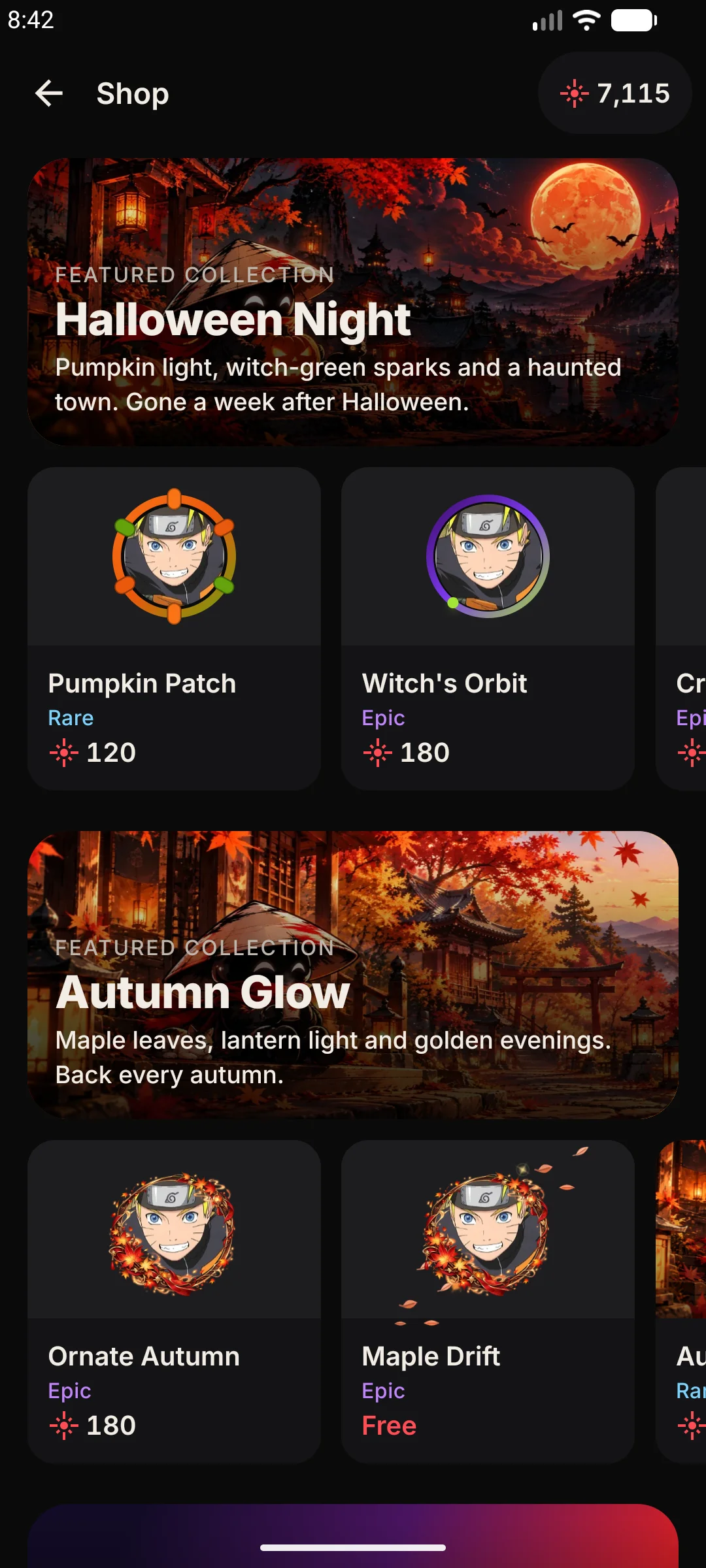
Spend Sparks on profile cosmetics made for Otavue.
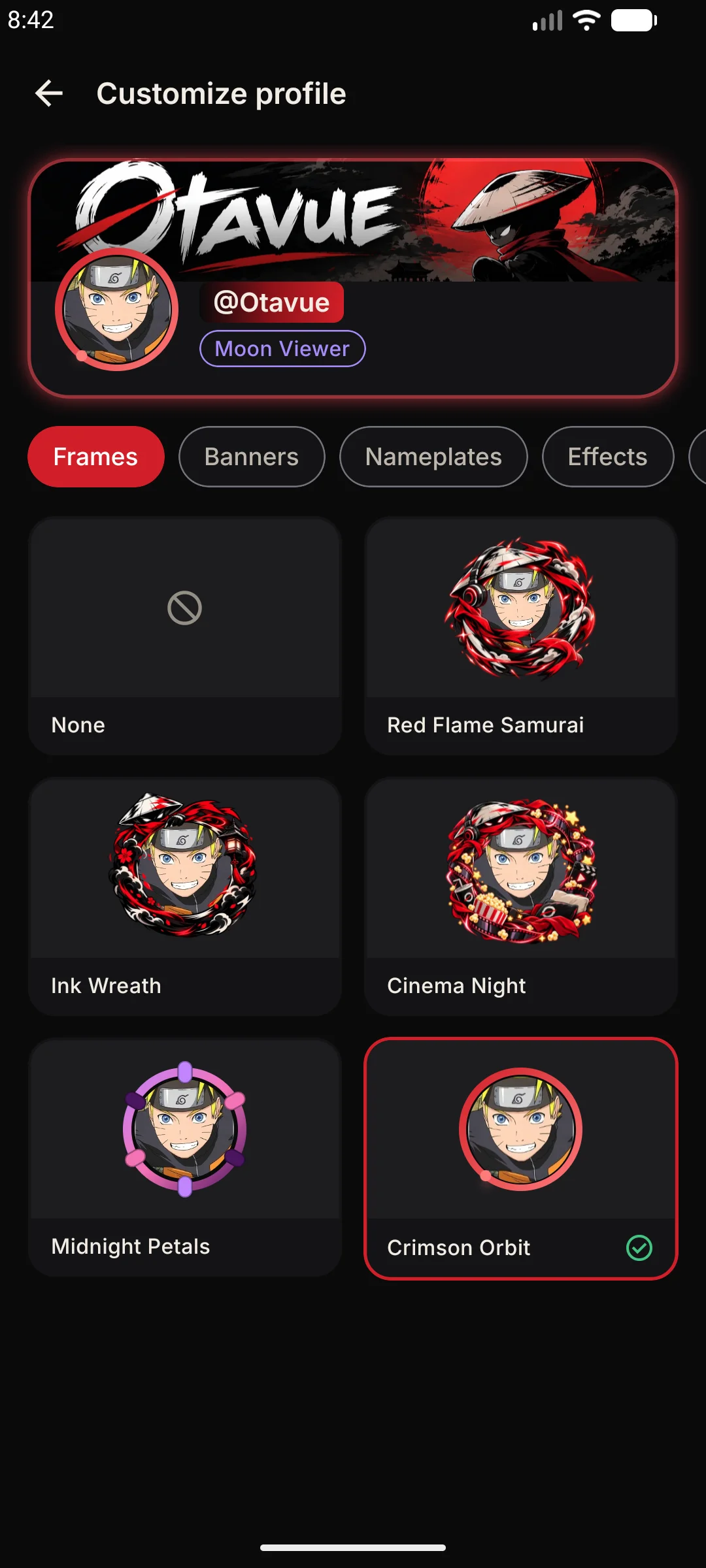
Avatar frames
Borders that wrap your avatar, animated or still, tied to ranks, seasons or events. Equip one and it shows everywhere your avatar does.
Banner art
A wide header image behind your name on the profile card. Original Otavue art, refreshed with new ones as the shop grows.
Nameplates
A styled background for your username in rank lists and the watch-party room, so you stand out in the crowd.
Profile effects
Animated overlays that play on your profile card when someone visits. Subtle or loud — the shop has both.
Cosmetic titles
A short line of text under your name, separate from the rank titles you earn. Pick one from the shop or leave it empty.
Preview before you buy
Tapping an item in the shop puts it on your own profile card so you can see exactly what it looks like before spending anything.
Yours, on your phone
No account
Open it and watch. Sign in to a tracker only if you want your list to follow you.
No tracking
Your library, progress and recommendations are worked out and kept on the device.
Nothing held back
No tiers and no ads. Everything on this page is in the app you download.
— 全部
Everything it does.
In one list, so you know what you're getting before you install it.
Watching
- Stream up to 1080p
- Change quality mid-episode
- Quality remembered for next time
- Preferred sub or dub
- 4 stream audio languages (JA, EN, ES-419, FR)
- 9+ normalized subtitle tracks
- Per-title dubbed episode counts
- Burned-in hardsub copy pairing
- Server fallback at the same second
- Double tap to skip, taps stack up
- Hold for 2× speed
- Slide for brightness and volume
- Auto-skip intros
- +85s skip when there are no markers
- Auto-play next episode
- Skip filler episodes
- Fit, zoom, stretch, 16:9 or 4:3
- Picture-in-picture
- Subtitle size, colour, edge and position
Together
- Watch parties in sync
- Chat over the video
- Six quick reactions
- Invite by link or code
- Guests can control playback (optional)
- Unread message badge
Rankings
- Watching and reading boards
- Today, week, month and all time
- Eight ranks, Passerby to Kami
- Fourteen secret titles
- Profile with your rank
- Delete your username any time
Reading
- 194 extension sources
- Manga reader, vertical or paged
- Right-to-left or left-to-right
- Keep the screen on while reading
- Light and web novels
- Novel font, size and line height
- Dark, black, sepia or light themes
Offline
- Download episodes, chapters and novels
- Keeps going in the background
- Retries and resumes
- Quality cap: 480p, 720p or 1080p
- Wi-Fi only option
- Subtitles saved with the episode
- Storage space guard
Your list
- AniList sync
- MyAnimeList sync
- Import your AniList list
- New / Behind / Caught up / Finished
- Five statuses plus favourites
- Grid or list, three sorts
- Migrate a title to another source
- Backup and restore
Finding things
- Continue watching, to the minute
- On-device recommendations
- Customisable Home rows
- Weekly airing schedule
- Episode reminders
- Search across every source
- Seasons in order
- Filler episodes marked
- Daily anime messages
Rewards
- Sparks currency
- Daily quests
- Weekly quests
- Claim at any time before reset
- Wallet tied to your username
- Sparks survive reinstalls
Shop & cosmetics
- Avatar frames
- Banner art
- Nameplates
- Animated profile effects
- Cosmetic titles
- Preview on your own profile before buying
- Sale pricing from the service
Languages & Global
- App interface in English & Español
- Matches device system language
- Safe native endonyms (always readable)
- 4 stream audio choices (JA, EN, ES-419, FR)
- 9+ normalized subtitle tracks
- Burned-in hardsub auto-detection
- Episode counters per audio language
- Intelligent dub-to-original fallback
- Planned: Português (Brasil), Français, Deutsch & Bahasa Indonesia
The app itself
- Free
- No account needed
- No ads
- Library stays on your phone
- Quick setup that fits it to you
- Floating or native tab bar
- Install sources from repositories
- DNS over HTTPS
- 18+ titles hidden unless you opt in
Get it, then tell us what's broken.
Otavue is built with a small group of people who actually watch on it. What they run into is what gets fixed, and what gets built next.